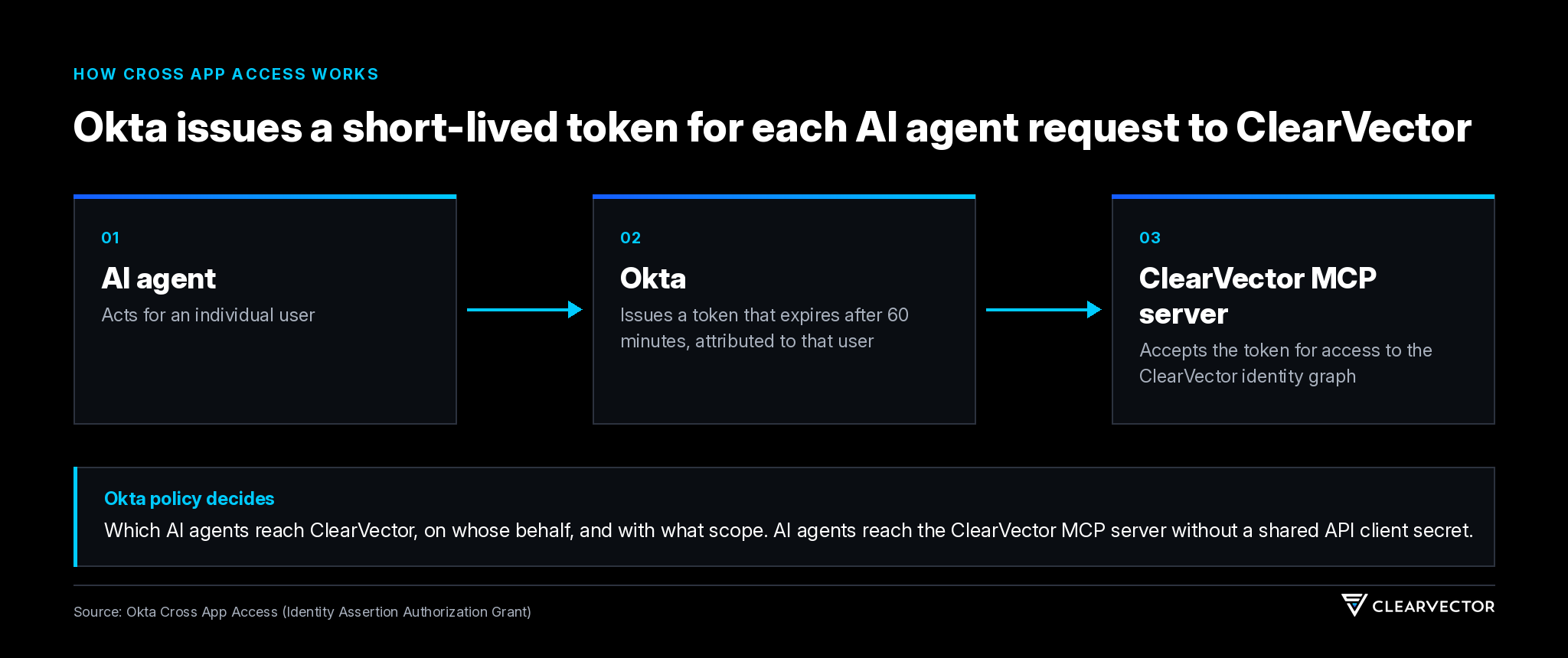
ClearVector supports Okta Cross App Access (XAA) for connecting AI agents to ClearVector through the Model Context Protocol (MCP). Okta issues each AI agent a short-lived token through the Okta identity of the person the AI agent acts for, and ClearVector accepts that token for access to the ClearVector identity graph.
AI agents reach the ClearVector MCP server without a shared application programming interface (API) client secret. Your Okta policies decide which AI agents reach ClearVector, on whose behalf, and with what scope.
What does Cross App Access change for AI agents that use ClearVector?
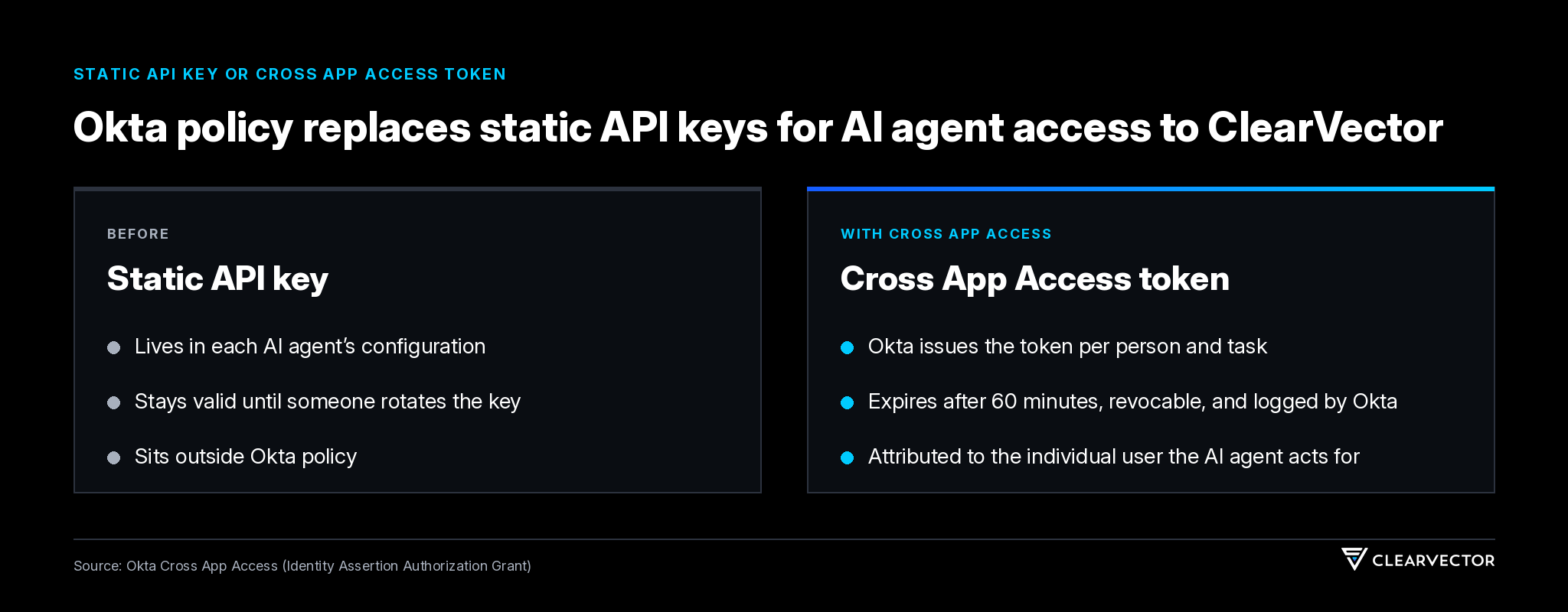
Cross App Access puts AI agent access to ClearVector under the Okta policies that already govern your people. An AI agent reaches ClearVector only with a token Okta issued for a specific person and task, so your security team controls that access from Okta instead of through keys spread across AI agent configurations.
- Access governed by Okta policy. Your team decides in Okta which AI agents can reach ClearVector and on whose behalf.
- No shared API client secret. AI agents reach the ClearVector MCP server without a shared API client secret, so your team has no shared ClearVector secret to rotate or track down for those AI agents.
- Access tied to a person. Okta grants access that expires after 60 minutes and attributes each request to the individual user the AI agent acts for, so every AI agent request to ClearVector traces to that person.
- Revocation from one place. Your security team revokes an AI agent’s access to ClearVector through Okta, and Okta logs every token Okta issues.
- Fewer consent prompts. Your team approves fewer Open Authorization (OAuth) consent prompts when AI agents connect to ClearVector.
What is Okta Cross App Access?
Okta Cross App Access, formally the Identity Assertion Authorization Grant, is an open protocol built as an extension of Open Authorization (OAuth) and incorporated into the Model Context Protocol (MCP) as an authorization extension. Okta issues short-lived tokens scoped to the task, revocable at any point and logged for audit, in place of static API keys.
Cross App Access is included in Okta workforce single sign-on (SSO) plans at no extra cost, and Okta made Agent SSO and XAA generally available in August 2026.
“Organizations shouldn’t have to choose between adopting AI tools and maintaining visibility over enterprise access,” says Aaron Parecki, Senior Director of Identity Standards at Okta. “By connecting apps with the Cross App Access protocol, security teams get more control and users get a better experience without all the OAuth consent prompts.”
How do you set up Cross App Access for ClearVector?
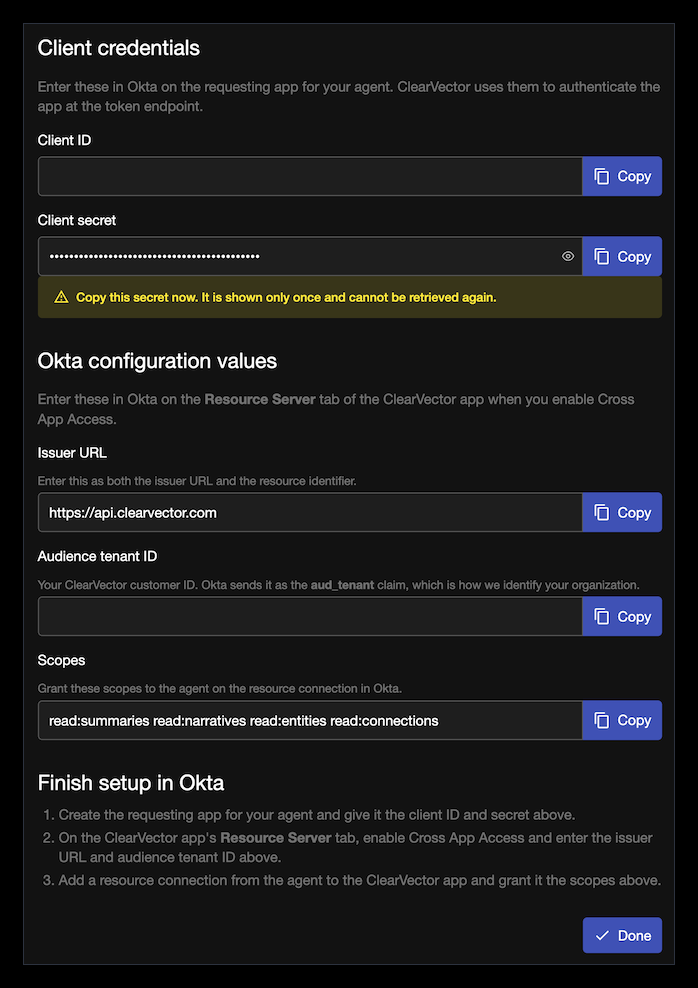
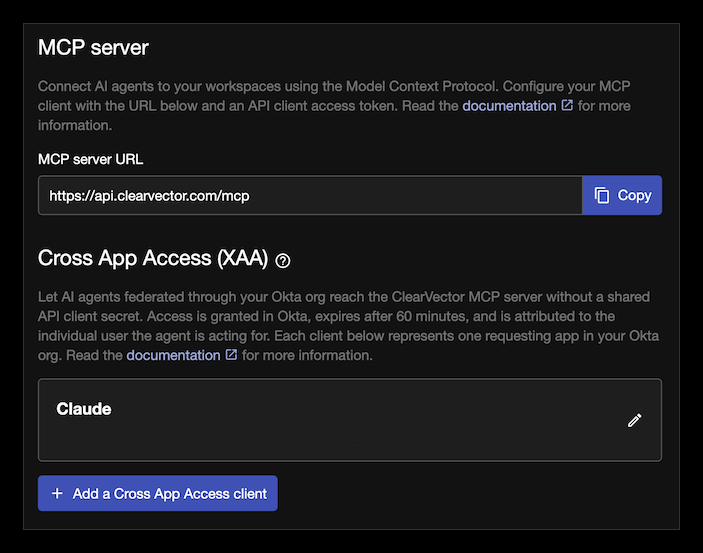
Cross App Access setup is self-service and takes five steps across ClearVector and Okta. In ClearVector, create a Cross App Access client under Settings > API access. In Okta, create the requesting app for the AI agent, enable Cross App Access on the ClearVector app, and grant the AI agent the scopes ClearVector lists.
- In ClearVector, open Settings > API access and select Add a Cross App Access client. Enter a client name that identifies the Okta app or AI agent the client belongs to.
- Copy the client ID and client secret. ClearVector shows the secret once and cannot retrieve the secret again.
- In Okta, create the requesting app for the AI agent and enter the client ID and client secret.
- On the Resource Server tab of the ClearVector app in Okta, enable Cross App Access. Enter https://api.clearvector.com as both the issuer URL and the resource identifier, and enter the audience tenant ID, which is your ClearVector customer ID.
- Add a resource connection from the AI agent to the ClearVector app and grant read:summaries, read:narratives, read:entities, and read:connections.
When is Cross App Access support available?
ClearVector support for Cross App Access is available to all ClearVector customers now. Customers can create a Cross App Access client under Settings > API access and connect AI agents through the ClearVector MCP server.
What does Cross App Access support cover?
Cross App Access support covers AI agents that access ClearVector through the ClearVector MCP server. Human sign-in to ClearVector does not change: people still sign in through the ClearVector app in the Okta Integration Network (OIN), a third-party identity provider you configure, or a ClearVector username and password.
Why use Okta and ClearVector together for AI agent access?
Okta knows who logged in. ClearVector knows what they did after. Okta governs which AI agents get access to ClearVector and on whose behalf. ClearVector shows what every identity does inside production after authentication, and stops misuse in one click or API call.
ClearVector provides behavioral identity and runtime response for cloud-native and AI-active environments. A live operating model of how every identity operates, built from the pattern of life ClearVector observes inside production, supplies the production identity intelligence behind that response.
Frequently asked questions about Okta Cross App Access and ClearVector