Today, we’re excited to publicly announce our Okta integration - extending our introspection capabilities directly into Okta.
Integrating Okta Identity Provider (IdP) activity enhances our unified, identity-driven visibility. This expansion allows you to rapidly correlate pre- and post-authentication actions within Okta with all other identity activity already mapped by ClearVector across your connected environment. Crucially, this new source of activity data enriches ClearVector's identity graph and identity-driven detection models, providing valuable additional context for security teams when triaging or responding to potential security incidents.
The situation
To illustrate, imagine you are responding to an incident in production, ClearVector points you to an identity, alice@skynet, that federated into your production environment via Okta. Although you have a unified view of this user's activity across production, Figure 1 illustrates what you know at this point in the investigation - Alice performed some activity in prod, created an access key, and approved a PR in GitHub. At this point, this may be a compromised identity - you need more information about Okta user “alice@skynet” from the IdP (Okta) itself.
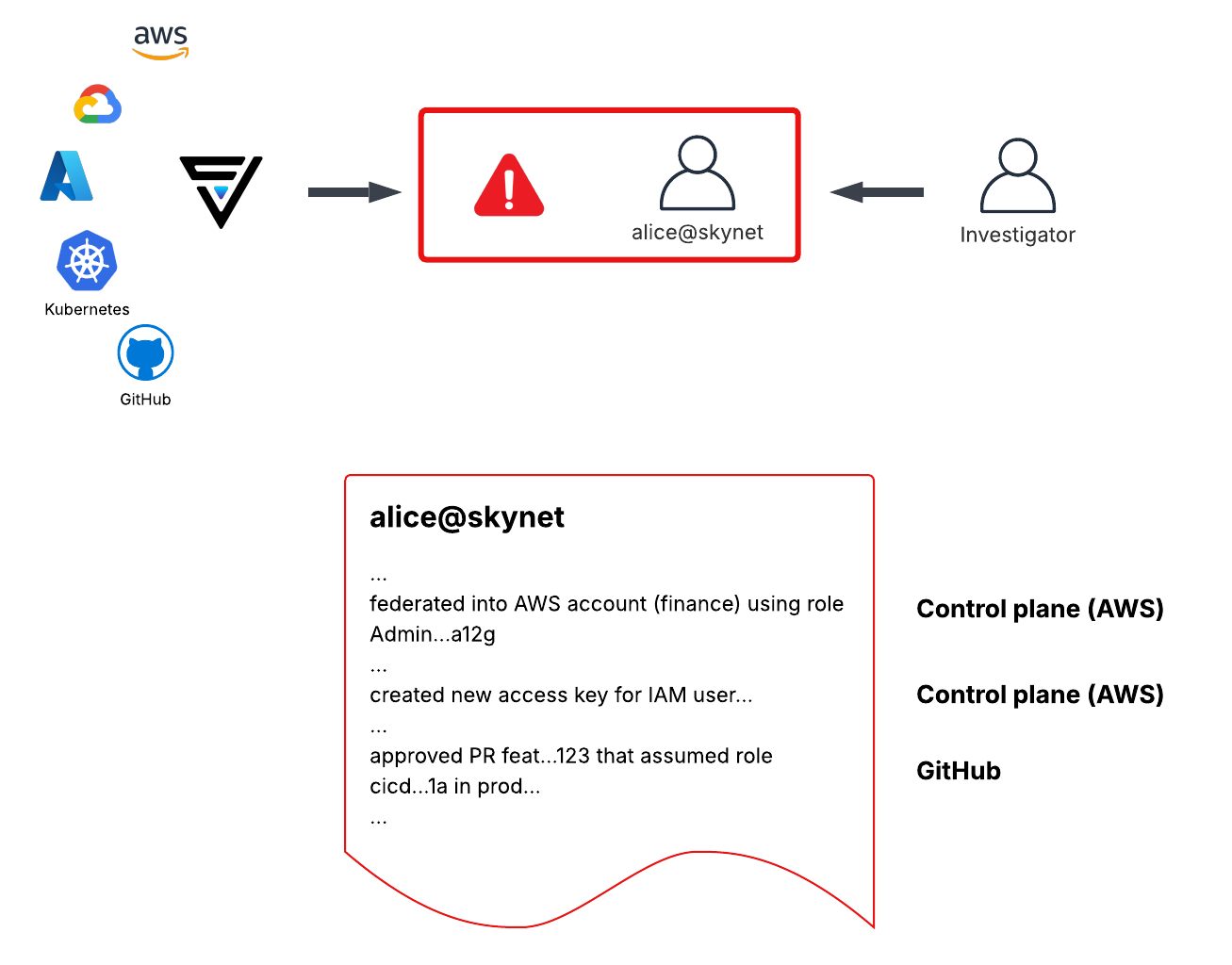
At this point in the investigation, you need to log into Okta and manually dive into the pre and post authentication logs to determine next steps.
With the ClearVector Okta integration
As described above, without the ClearVector Okta integration, manual work is needed to discover more details as you move further “left” in the investigation - ie, go back in time into the IdP.
With the new capability, after connecting Okta to ClearVector, your visibility expands to include all activity within your Okta IdP, threaded together with all of your production environment activity by identity.
As shown in Figure 2, ClearVector automatically unifies the activity within Okta with the activity in GitHub, the control plane, and other production environment activity mapped to alice@skynet. Further, you can pivot directly to the Okta or GitHub Actions logs to further investigate in the native consoles.
For example, FIgure 2 highlights the ease with which you can identify a likely hijacked session, followed by an adversary taking control of alice@skynet, and pivoting into the production infrastructure.

ClearVector customers can connect Okta to a ClearVector workspace from the Connections tab. Connect with us at RSA or fwd:cloudsec!
%201.avif)